Automating My Job Search with R and a Headless Browser
Hello !
Welcome to my first post on the projects page. For better visibility, I advise you to read my posts on a computer (for the size but also because the colors differ on a phone that has a dark theme like me. If the theme is light, only the size makes it harder to read) and on my website (if you are reading this from the newsletter) by clicking just above on "View in browser", rather than directly from the email.
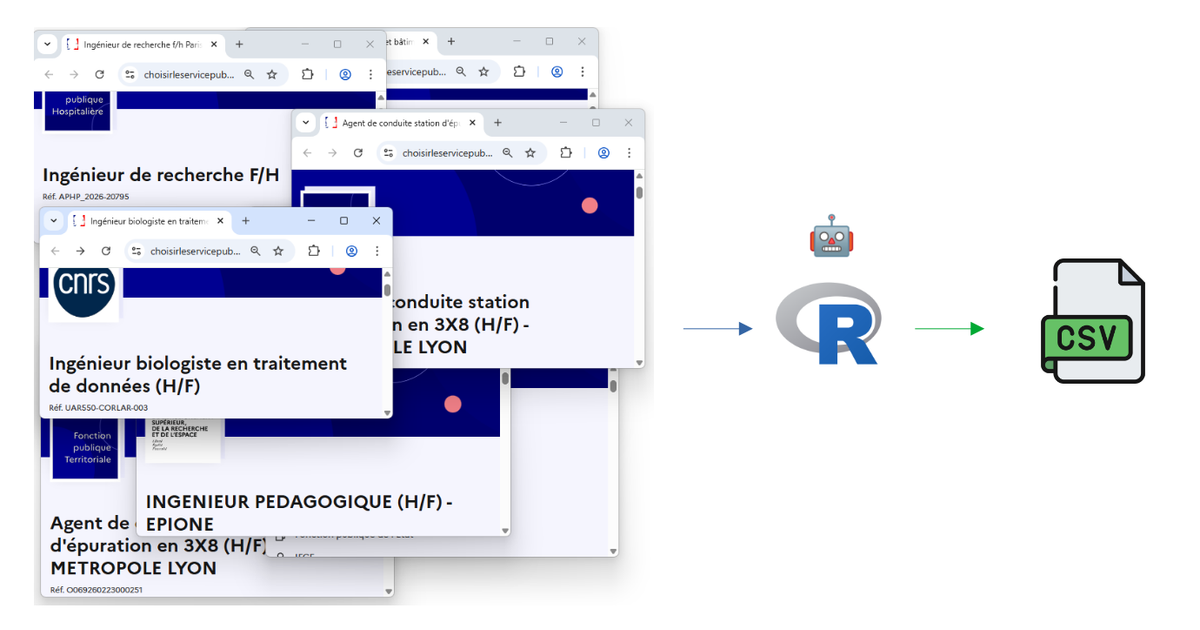
Looking for a job in France means checking dozens of websites every day — especially if, like me, you're aiming for a job in public scientific research. Government portals, university recruitment pages, each with their own layout and quirks... After a few weeks of doing this manually, I thought : why not let R do the boring part for me?
So I built two web scraping scripts that automatically collect, parse, and filter job offers from across the French public sector. Here's how they work.
The idea
The French public sector posts job offers on many different platforms. Two major sources stand out:
- Choisir le Service Public — the official government job board, which centralizes thousands of offers across all three branches of the French civil service.
- University websites — each of the 60+ French universities has its own recruitment page, with its own design, its own CMS, and its own way of listing job offers. No two look alike.
Of course, offers on university websites can (and should) be found on the government website (which centralizes them in theory) which is supposed to centralize them) but... let's just say reality doesn't always match the theory 😉
My goal was simple: run a script, take a break for biscuits and a drink, and come back to a clean spreadsheet of relevant offers — filtered by keywords like data scientist, R, Shiny, SQL, or statistic.
Script 1 : The government job board
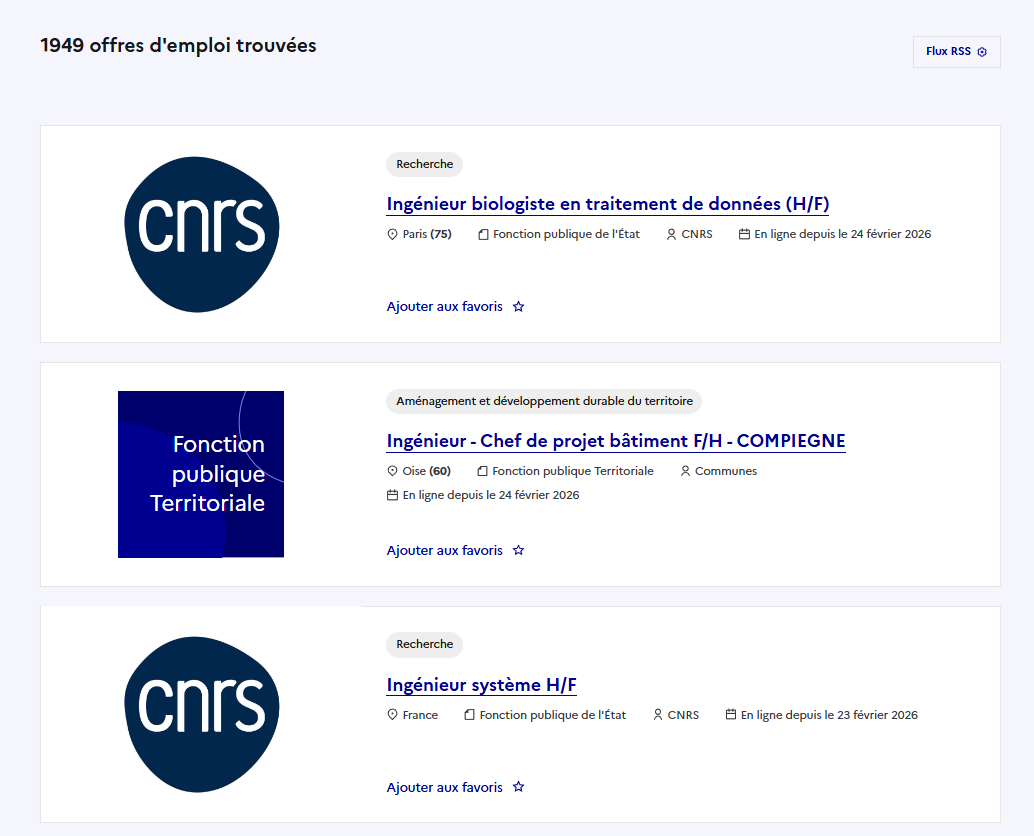
This one is the more straightforward of the two. The website Choisir le Service Public uses server-side rendered HTML, which means the listing pages can be scraped with a simple read_html() call — no need for a browser. Here is what the site looks like.
Now, you might wonder: this website already offers an RSS feed, so why bother scraping it? The RSS gives you a notification — a title, a link, a publication date. That's about it. You still have to click through each offer and decide for yourself if it's relevant. The script goes further: it opens every single offer, extracts structured fields (employer, location, contract type, skills...), and then filters everything automatically based on your target keywords. The RSS tells you "47 new offers today". The script tells you "here are the 6 that mention R or data analysis, with all the details, ready to browse in a spreadsheet"
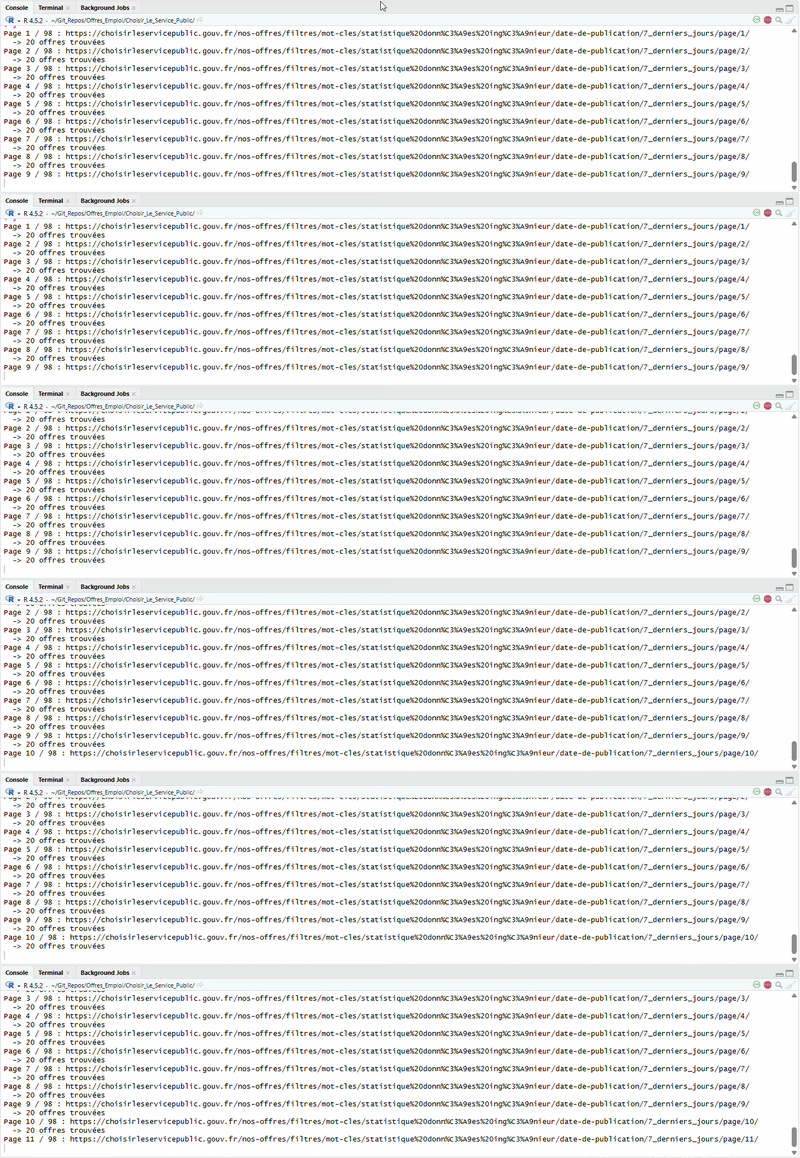
Step 1 — Collect the links. The script loops through the paginated search results and grabs every link pointing to an individual job offer. In update mode, it only looks at offers posted in the last 7 days.
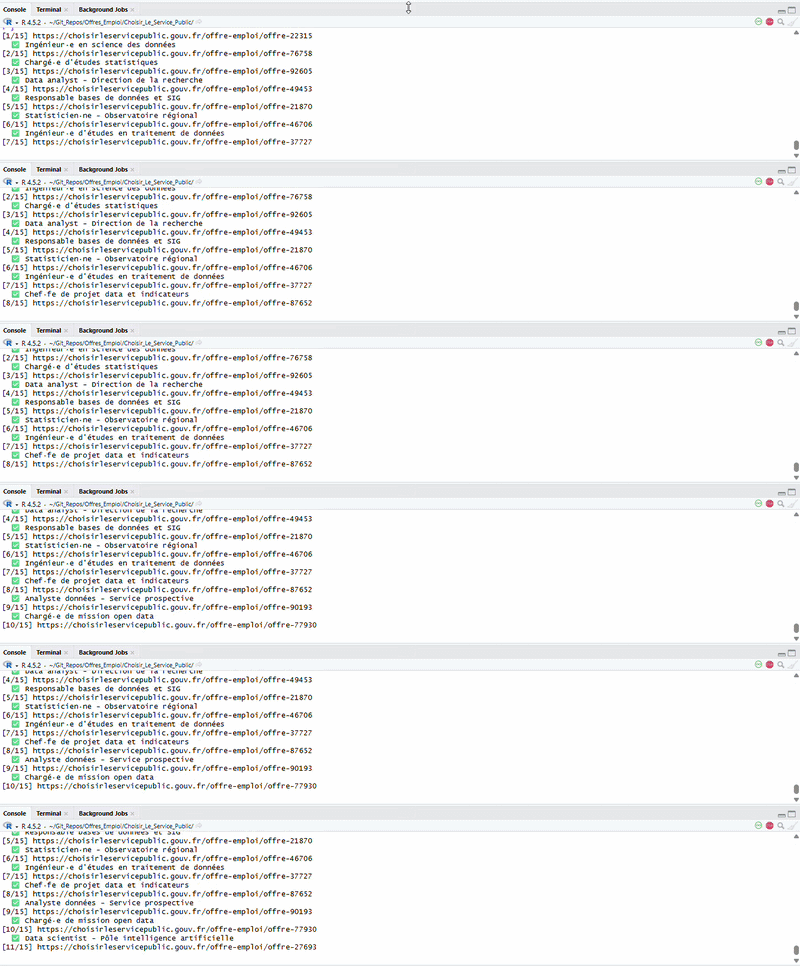
Step 2 — Scrape each offer. This is where Chrome comes in. Each offer page has dynamic content (expandable sections, lazy-loaded text), so the script opens a headless Chrome browser via the chromote package, navigates to each offer, clicks "show more" buttons, and extracts the full text. From there, it parses the title, employer, location, contract type, description, required profile, and more, using regex patterns.
Step 3 — Merge & update. In update mode, the script merges new offers with the existing database, avoiding duplicates by checking both URLs and reference numbers.
Script 2: University recruitment pages
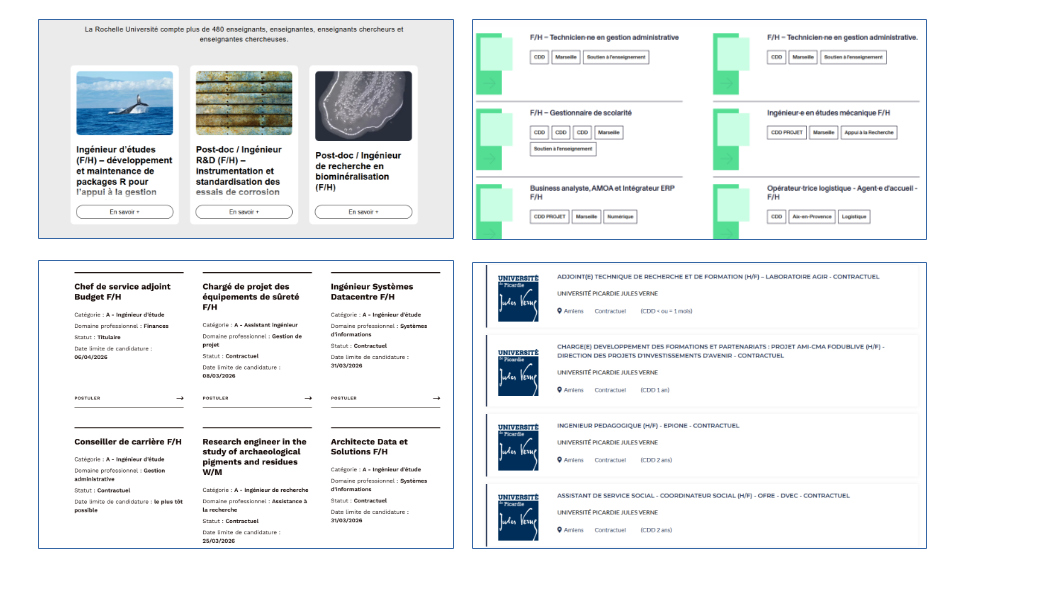
This one was the real challenge. Unlike the government portal where every offer follows the same HTML structure, universities each have their own website — built with WordPress, custom CMS, or various other tools.
The CSS family system. To handle this diversity, I built a reference file listing each university with its recruitment URL and a CSS class identifier. The script reads this file and automatically selects the right JavaScript extraction code for each site. There are over 10 different "families": Jet Engine-based WordPress sites, Flatchr job boards, custom table layouts, WP Job Manager, and more.

Dealing with dynamic content. Many university pages use "load more" buttons or AJAX pagination. The script handles this by repeatedly clicking these buttons (up to 20 times) and waiting for new content to appear before collecting the links.
Scraping the details. Once all the offer links are gathered, the script visits each one individually — using the same headless Chrome approach — and extracts structured information from the raw text: job title, contract type, duration, start date, description, required skills, and more.
The filtering step
Both scripts end with the same crucial step : keyword filtering. Not every offer on these platforms is relevant to my profile, so the script scans the title, description, profile, and skills sections for a curated list of keywords :
R, Shiny, SQL, SAS, data scientist, data analyst, machine learning, statistique, modélisation, géomatique, SIG, visualisation, big data, open data, tableau de bord, base de données...
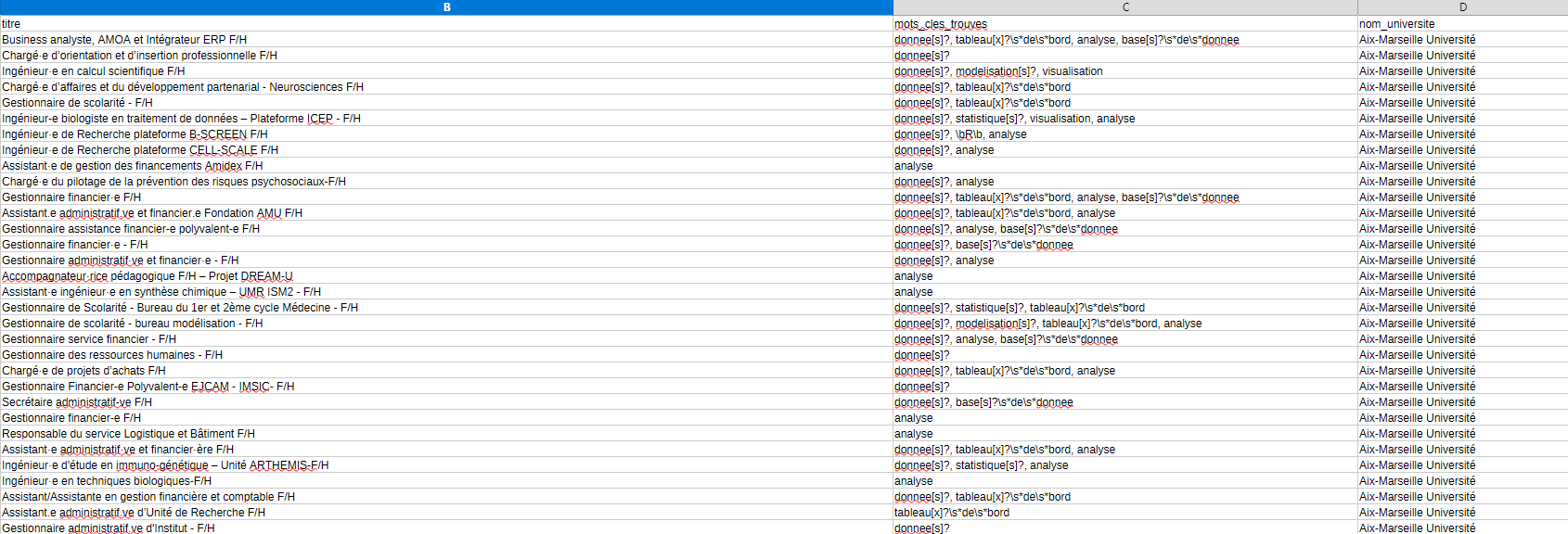
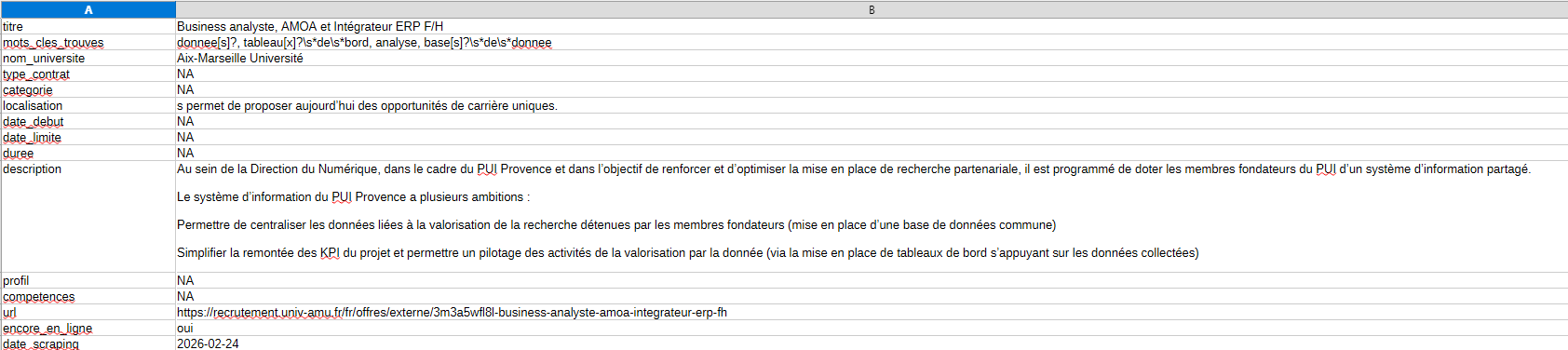
Each matching offer gets tagged with the specific keywords that were found, making it easy to quickly assess relevance when browsing the final spreadsheet.
The result
With both scripts combined, I can scan 60+ universities and the entire government job board in one go. The update mode means I only scrape what's new, keeping things fast for daily use. The output is a clean CSV file that I can open, sort, and browse at my own pace — no more manually visiting dozens of websites.
Thanks for reading! I hope it was clear and you enjoyed it.
You will find the code below by clicking the github link button.
If you have any questions or remarks, I invite you to create an account (it's free) to write a comment, or simply to be notified of a new post in the future !
See you soon for new content 👋
 MaximeDeniaux
Comments ()